Monthly Budget Spreadsheet
$19.99 USD · instant download
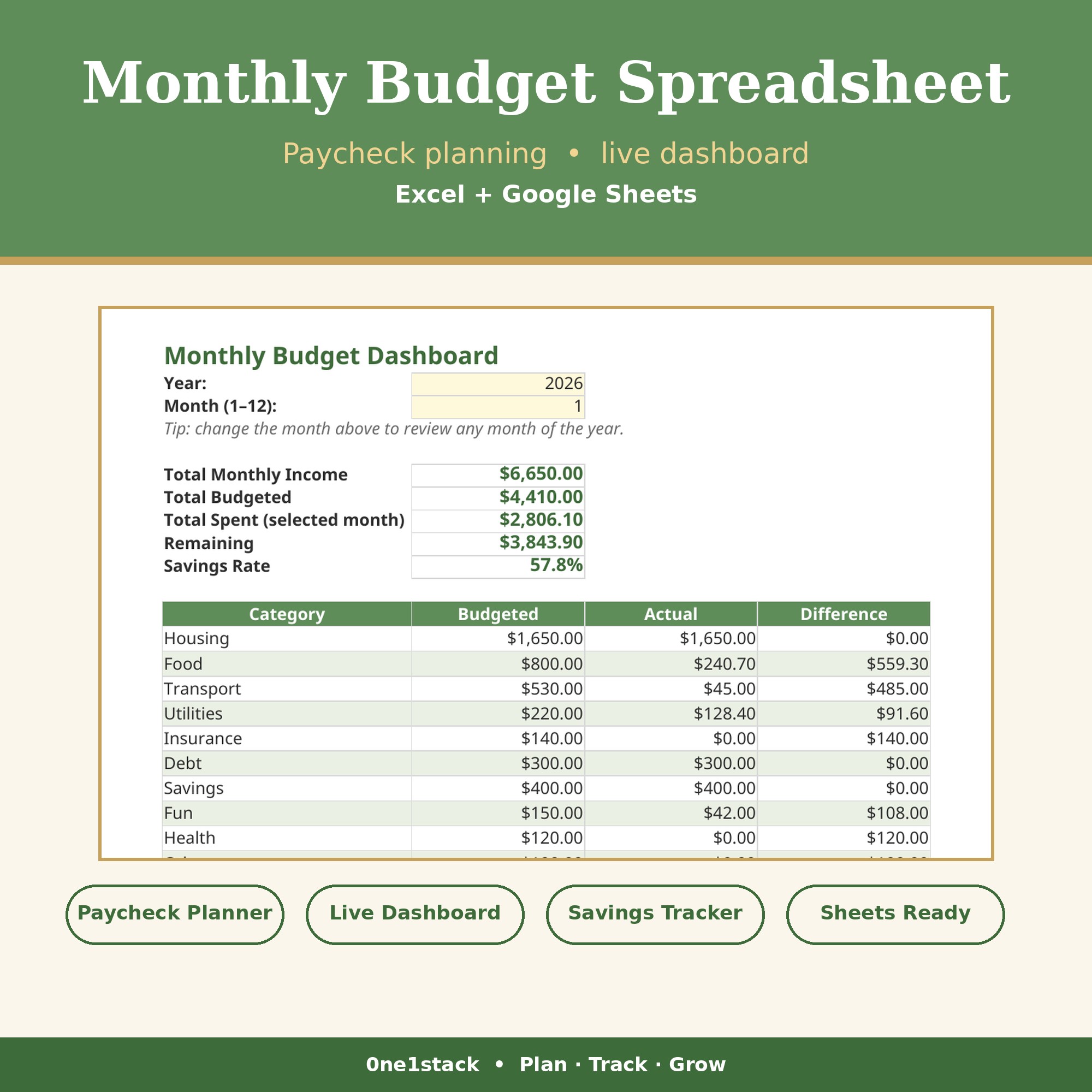
Plan every dollar by paycheck, track spending against 10 budget categories, and watch your savings rate update live.
Buy Now — $19.99Secure checkout via Gumroad · buy once, use forever
Questions? Contact us via Gumroad. Digital downloads are final sale — but if your file doesn't work as described, we'll make it right.
Who it's for
Most budgets fail because they're static — a number on a page you set in January and ignore by March. This Monthly Budget Spreadsheet is built around your actual pay cycle: assign every bill to Paycheck 1 or Paycheck 2, log transactions as they happen, and the dashboard shows you exactly where the money went and what's left. It's for anyone paid biweekly or twice a month who wants a budget that matches real life.
What's inside
- Paycheck Plan tab: assign every bill to Paycheck 1 or Paycheck 2 — Paycheck 2 auto-fills and your remaining updates live.
- Dashboard: total income, budgeted vs. actual per category, remaining cash, and savings rate %, all driven by a Year/Month selector.
- Income tab with automatic monthly equivalents — weekly and biweekly pay converted for you.
- Transaction log with running balance and month-filtered actuals.
- Dropdowns everywhere (categories, frequencies, types), over-budget red alerts, and print-ready layouts.
- Step-by-step Instructions tab + Google Sheets import guide.
How it works
- Download the .xlsx file instantly after checkout.
- Open in Excel, or import into Google Sheets (File → Import → Upload).
- Fill in the yellow cells: your income, your budgets, your transactions. Everything else calculates itself.
You receive
- Format
- Excel workbook (.xlsx)
- What's inside
- Paycheck planner, 10-category budget tracker, transaction log, live dashboard
- Software
- Microsoft Excel 2016+ or Google Sheets (free)
- License
- Personal use; may not be resold or redistributed.
Frequently asked questions
I get paid biweekly — does this work for me?
Yes — that's exactly what the Paycheck Plan tab is for. Assign bills to Paycheck 1 or Paycheck 2 and it handles the split, including the months with a third paycheck.
Excel or Google Sheets?
Both — Excel 2016+ or a free Google account via File → Import. All formulas are standard, no macros.
What if I blow a category?
The dashboard flags over-budget categories in red automatically, so you see it the moment it happens — not at the end of the month.
Get the Monthly Budget Spreadsheet
Instant download. Yours forever.
Buy Now — $19.99